Knowledge
One bot, flexible ingestion
Upload PDFs and images, paste notes, import website content, and keep everything searchable inside one bot workspace.
Set up bots in minutes
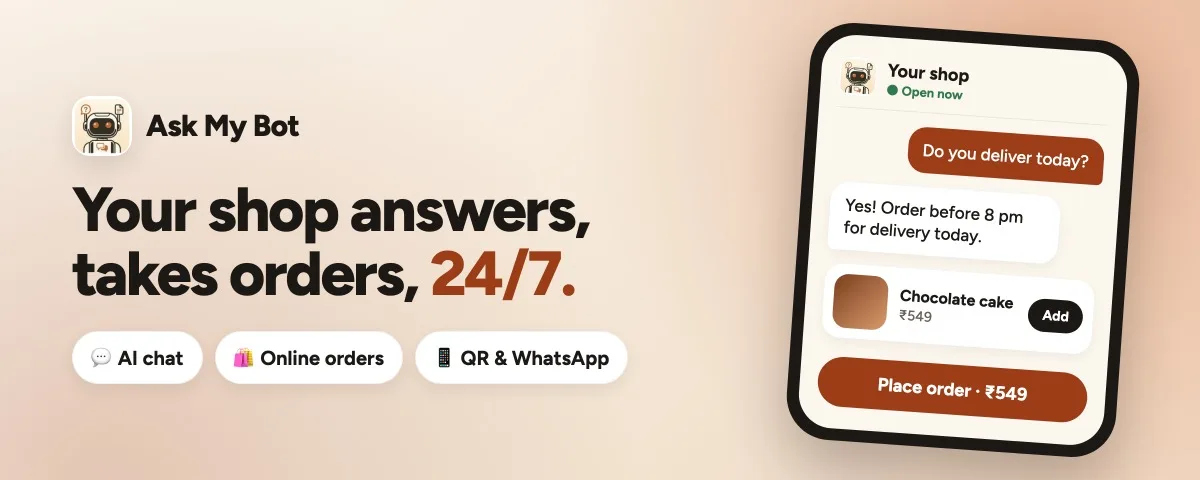
Ask My Bot helps creators and businesses upload PDFs, image files, pasted notes, or website content, then launch a profile people can talk to through a public page, embeddable widget, starter questions, and share-ready assets from one dashboard.
Input types
5
Lead signals
Email + phone
Distribution
Page · Widget · Share
Knowledge
Upload PDFs and images, paste notes, import website content, and keep everything searchable inside one bot workspace.
Engagement
Visitors can chat by text or voice, react to answers, and share responses while your bot stays grounded in your content.
Growth
Capture qualified leads from high-intent chats, review unanswered questions, and improve docs from one dashboard.
Control room
Knowledge inputs
PDFs, DOCX, images, pasted notes, and website pages
Live bot
Support launch bot
www.askmybot.ai/launch-faq
Signals + leads
Top question
“Do you support pricing by seat?”
Lead captured
alex@acme.com (high intent)
Next move
Add one onboarding snippet and a pricing FAQ, then monitor likes/dislikes to improve weak replies.
Public bot: www.askmybot.ai/your-bot-slug
Widget: <script src="https://www.askmybot.ai/your-bot-slug/widget.js" defer></script>
Leads: synced to dashboard and leads tab
Setup flow
Start with authentication, build and customize your bot, share it through a public link or widget, then use analytics and leads to improve every response.
Step 1
Create your account or log in to open your creator workspace and start your first bot.
Step 2
Set bot name, slug, branding, opening message, starter questions, and upload docs or website content.
Step 3
Publish your bot link and embed the widget on your website using the generated install script.
Step 4
Review visitor questions, unanswered gaps, reactions, and captured leads to continuously improve answers.
What creators get
Create multiple bots, manage documents, tune branding, set category, and keep your admin controls separate from the public experience.
Visitors get a dedicated public bot page with your avatar, headline, opening message, starter questions, and chat styling.
Share the public link, install the widget with one script, or export share cards for square, business-card, or social formats.
Why this works
Better than static docs
Visitors ask in their own words instead of hunting through pages
Better than one-off uploads
PDFs, images, pasted text, and website imports all feed one bot
Better than guesswork
Analytics reveal top questions, unanswered topics, and readiness gaps
Better than rebuilding every surface
One knowledge base powers the public page, widget, and share flow
What you can upload
Ask My Bot is built for messy real-world source material. Instead of forcing everything through one upload path, it lets you combine PDFs, OCR-ready images, pasted notes, and website content inside the same bot.
Turn manuals, pricing sheets, onboarding guides, and policies into searchable bot knowledge.
Import proposal docs, SOPs, onboarding notes, and internal playbooks while preserving useful structure for retrieval.
Upload screenshots, scanned docs, menus, posters, or phone snaps and extract readable text before indexing.
Drop quick notes, FAQs, support answers, or pricing snippets directly into a bot without creating a file.
Import a public page, preserve visible details like footer contact info, and preview your widget on-site instantly.
Built for performance
Beyond launch basics, Ask My Bot now includes voice chat support, in-chat feedback actions, lead capture prompts, and richer analytics so you can turn traffic into better answers and qualified follow-up.
Responses are generated from indexed bot content with retrieval constraints, so answers stay tied to your actual docs.
Visitors can ask by voice and listen to replies where supported, making your bot easier to use on mobile and desktop.
High-intent chats can collect email or phone details for follow-up, then surface those leads in your analytics workspace.
Track top questions, unanswered gaps, likes/dislikes, and readiness signals to continuously improve bot performance.
Use cases
Answer common questions from followers, sponsors, clients, or students from one branded public page.
Publish product, pricing, policy, and company information as a searchable assistant for leads and customers.
Package launch notes, offers, and landing-page context into a bot you can share across social and website traffic.
Optimization loop
See repeated questions across your public bot so you know which topics matter most to visitors.
Spot content gaps fast, then upload better documentation or paste targeted answers to improve the bot.
Track setup completeness across branding, opening message, uploaded content, and answer quality before you share the bot widely.
Frequently asked questions
Ask My Bot turns business or creator knowledge into a public AI bot that people can chat with through a branded page or embedded widget.
You can upload PDFs, DOCX, and image files, paste text directly, or import a single website page into a bot.
Yes. Every bot includes a widget preview page and an install script so you can drop the same bot onto your own website.
Use the dashboard analytics to review top questions and unanswered questions, then upload or update the relevant documentation.
Yes. High-intent conversations can prompt for email or phone details, and captured leads are available in your bot analytics and leads pages.
Yes. Public chat supports browser voice input and assistant voice playback on supported browsers and devices.